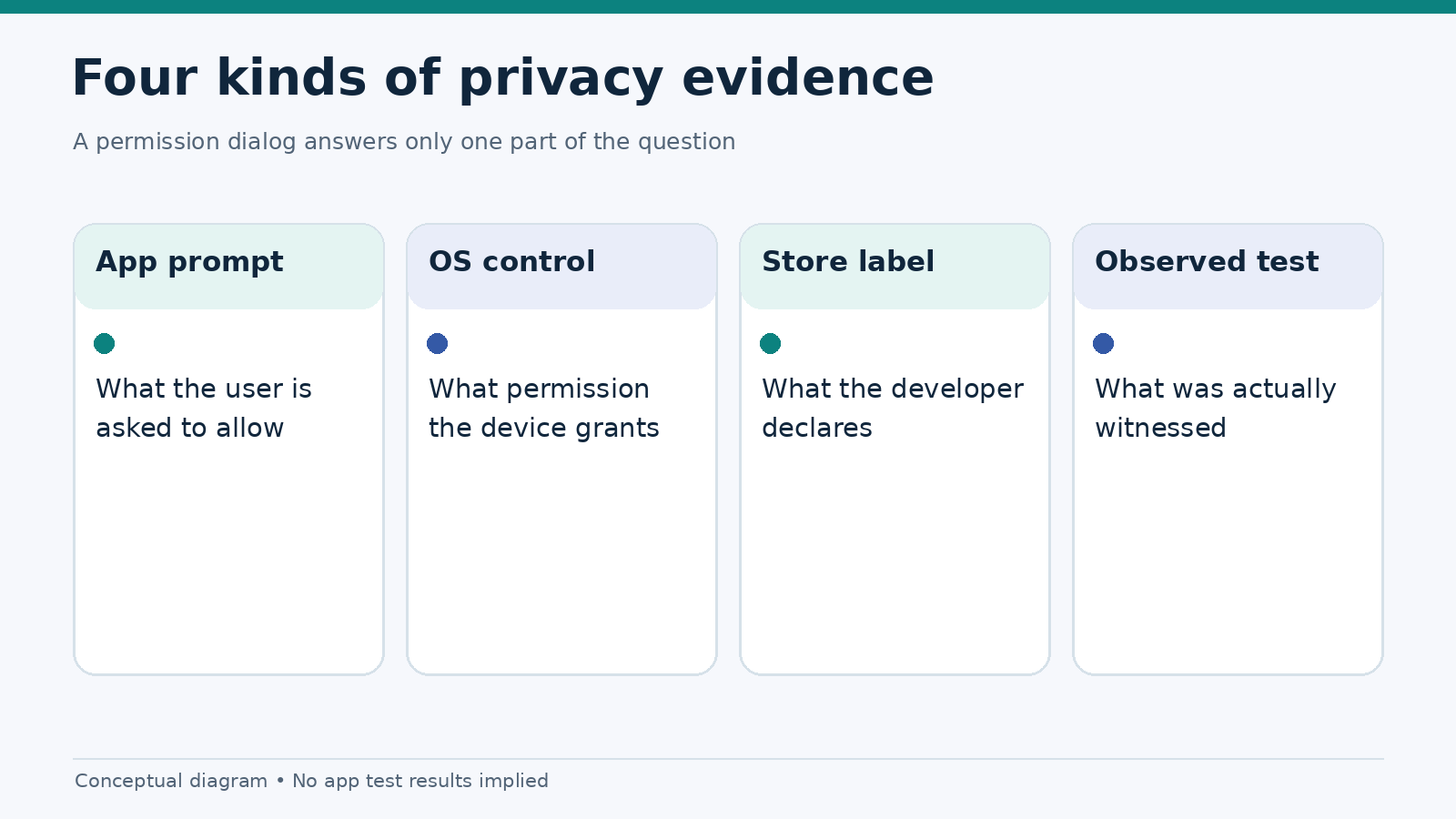
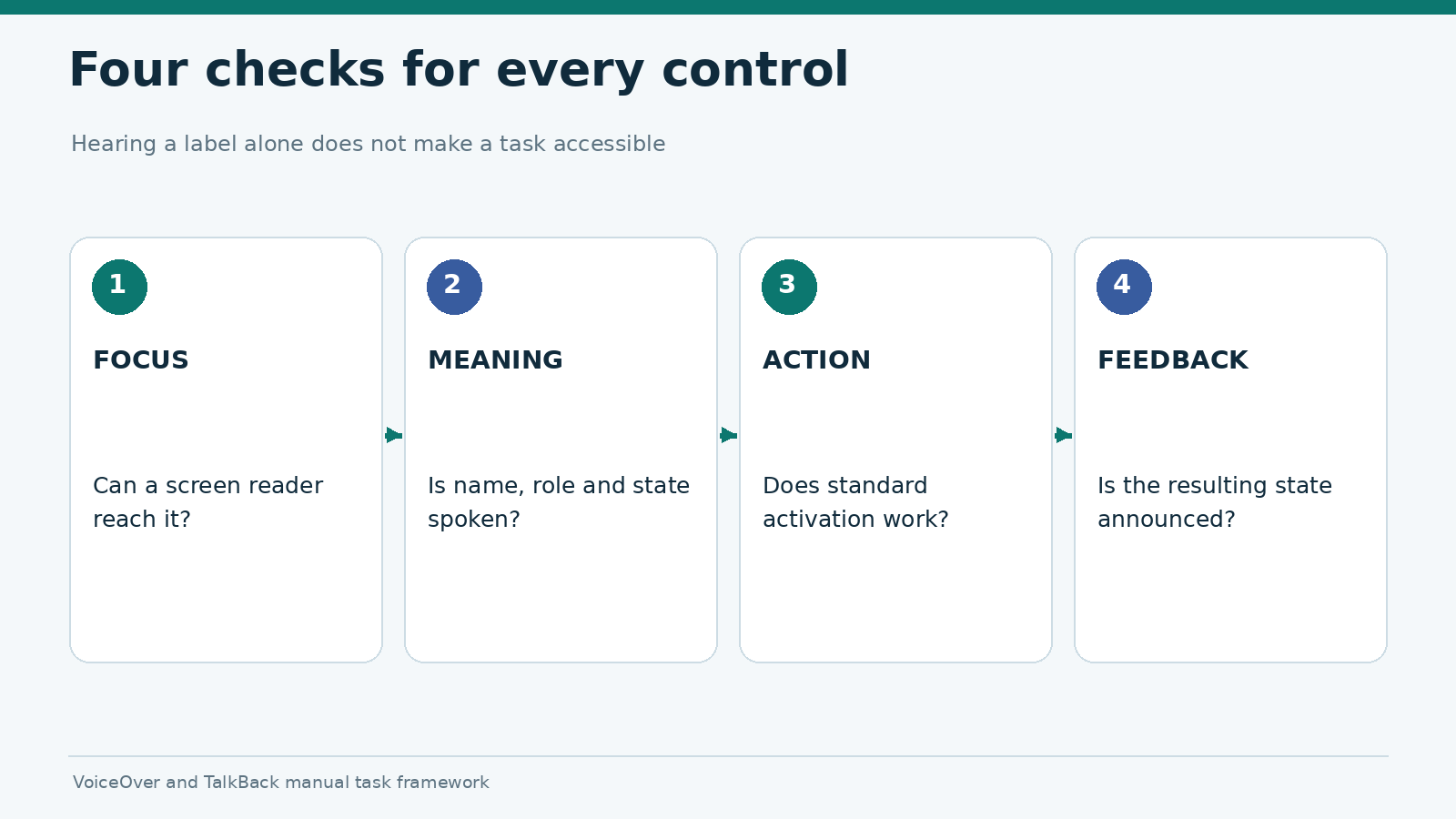
A useful app review must be repeatable. Our 25-point mobile gambling app testing checklist examines five areas: launch and navigation, network and session behavior, stability and recovery, accessibility, and privacy and platform integration. Each check produces a recorded observation rather than an impression such as “fast,” “smooth,” or “easy to use.”
The checklist evaluates the mobile product, not the odds, payouts, offers, or financial suitability of a gambling service. An app that performs well technically is not necessarily licensed or available in a reader’s location. Licensing, age restrictions, and permitted regions must be verified separately before an app can be presented as available to users.
What a test result means
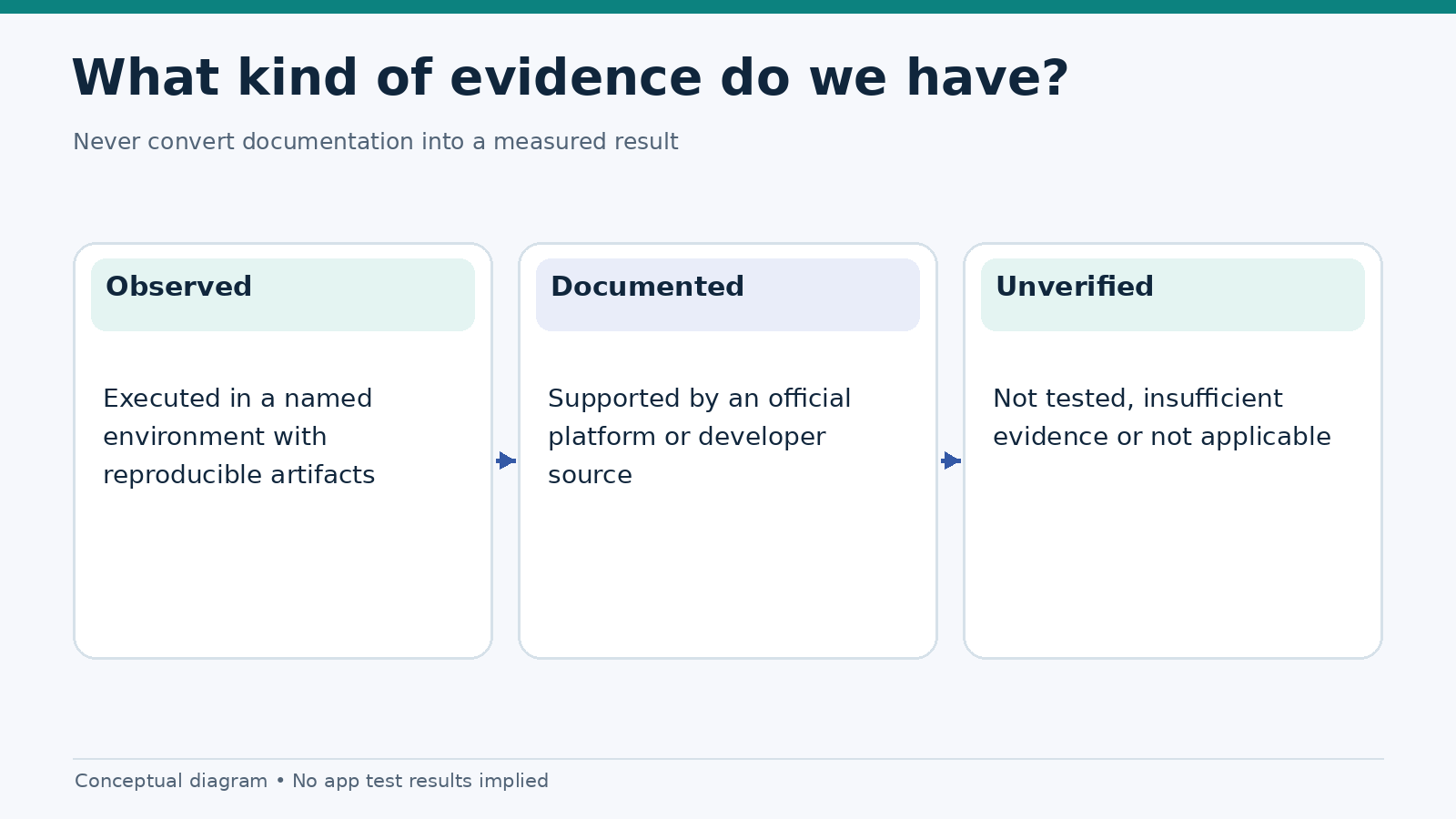
We distinguish observed, documented, and not tested. “Observed” means a tester completed the stated procedure on a named device and build. “Documented” refers to a claim supported by platform or developer documentation but not reproduced in the test. “Not tested” means there is no defensible result. An unavailable feature is not automatically a defect; it may be outside the app’s intended scope.
| Evidence label | What readers can infer | What they cannot infer |
|---|---|---|
| Observed | A defined behavior occurred in the recorded setup | The same result will occur on every device |
| Documented | An authoritative source describes a capability or rule | The evaluated app implements it correctly |
| Not tested | We have no reproducible finding | That the feature passes or fails |
| Not applicable | The check does not apply to this platform or build | That the platform is deficient |
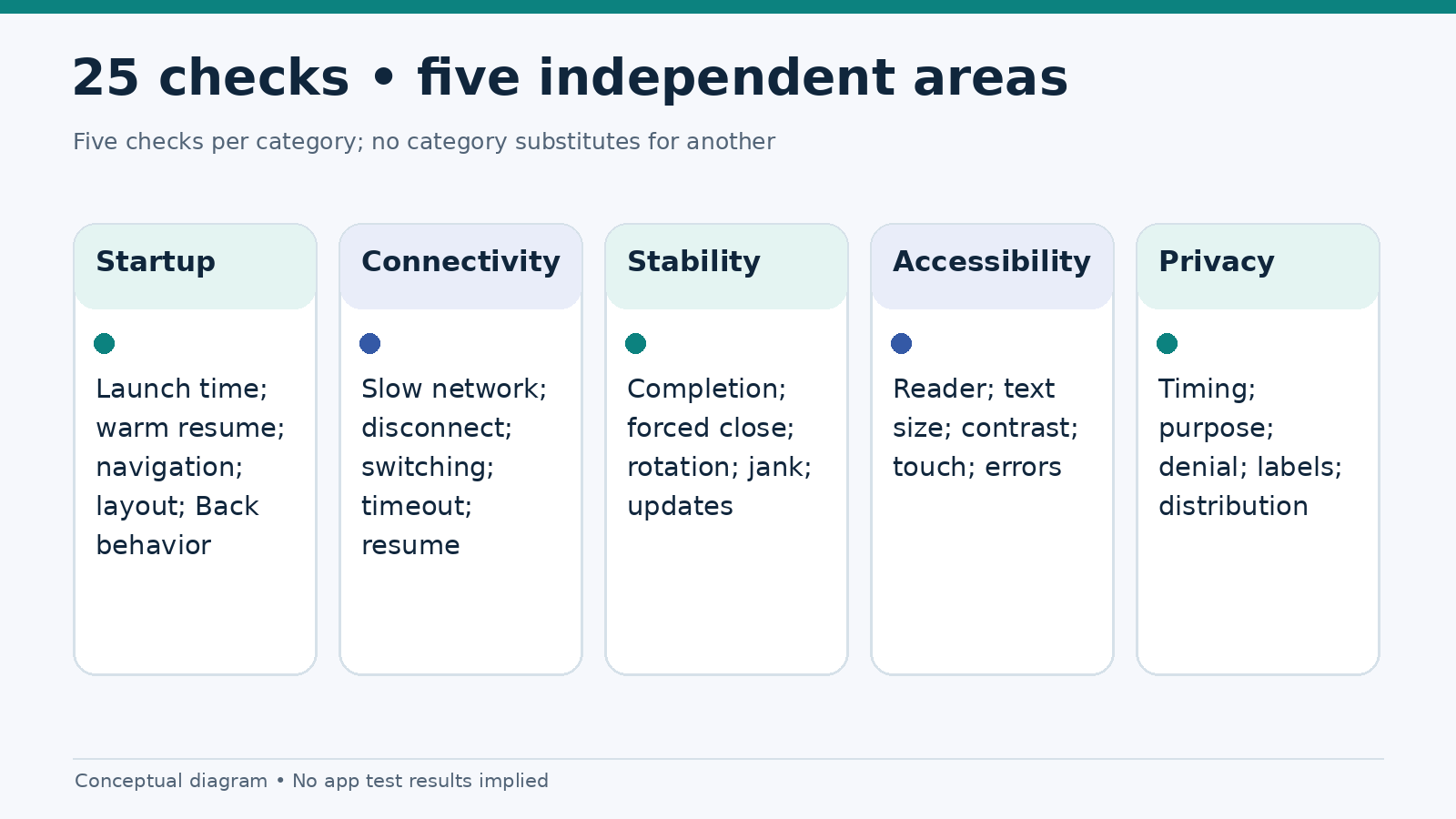
The 25-point mobile app checklist
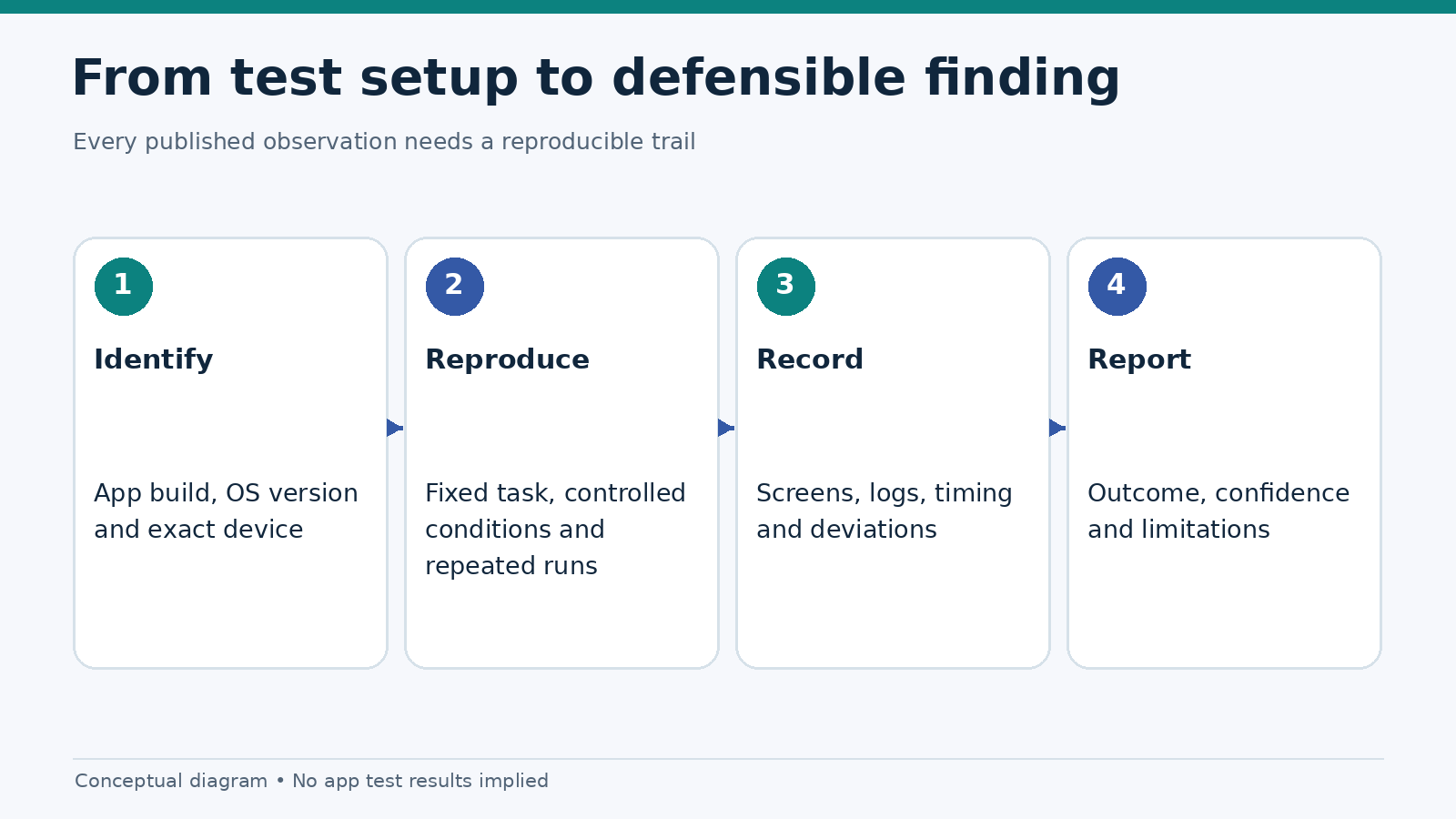
The checks are grouped by the question a reader wants answered. Every applicable check uses the same three-part outcome: pass, issue, or not tested. Passing requires meeting the stated acceptance condition; the test record should contain the exact threshold where one is used. This list is a protocol, not a claim that any particular casino app passed it.
A. Startup and navigation — checks 1–5
- Cold start. Force-close the app, launch it from the home screen, and time the interval until the first interactive screen. Record at least five runs and the median.
- Warm resume. Background the app for a fixed interval, return, and record how soon controls respond.
- Main task path. Count taps needed to find account settings, help, and safer-gambling controls, starting from the same screen.
- Screen adaptation. Check for clipped buttons, overlapping keyboards, sideways scrolling, and hidden status messages at the tested viewport sizes.
- Navigation recovery. Check whether Back, browser history, and in-app navigation return the user to the expected location without losing unsaved work.
B. Connectivity and sessions — checks 6–10
- Slow-network startup. Repeat a cold launch on a controlled low-bandwidth, high-latency profile.
- Connection interruption. Disconnect during a nonfinancial task and inspect the error message, retry behavior, and persistence of entered data.
- Network switching. Move between Wi-Fi and mobile data where available, and look for duplicated screens or unexplained resets.
- Session timeout. Leave the app inactive for a fixed duration and document the timeout message and reauthentication path.
- Return after suspension. Background and reopen the app; check whether it resumes at an appropriate screen without displaying stale private information.
C. Stability and recovery — checks 11–15
- Repeatable task completion. Complete a safe, nontransactional flow repeatedly and note freezes or unexpected exits.
- Forced-close recovery. Terminate the app, reopen it, and check whether partially completed steps are handled predictably.
- Rotation and multitasking. Rotate when supported, open another app, and return to inspect layout and state restoration.
- Scrolling smoothness. Capture dropped-frame or frame-time data where developer tooling allows, and state which tool was used.
- Update continuity. After a version change, repeat a defined smoke-test suite and check for regressions in login, navigation, and accessibility.
D. Accessibility and readability — checks 16–20
- Screen-reader naming. Inspect button labels and reading order with VoiceOver or TalkBack.
- Text enlargement. Increase the OS text size and check for truncated labels or inaccessible controls.
- Contrast and state. Verify that text, selected states, errors, and disabled controls remain distinguishable in relevant themes.
- Touch targets and focus. Confirm controls can be located and activated without accidental taps or focus traps.
- Error comprehension. Check that validation and connectivity errors are announced or presented with actionable next steps.
E. Permissions and platform integration — checks 21–25
- Permission timing. Note whether requests appear at launch or only when a relevant feature is used.
- Purpose explanation. Record whether location, camera, or notification access is explained in plain language.
- Denied-permission fallback. Deny a permission and confirm whether the unrelated parts of the app remain usable.
- Privacy disclosures. Compare store declarations, the privacy policy, and observed permission prompts; record inconsistencies without inferring undisclosed data collection.
- App identity and distribution. Record the package or bundle identifier, install source, build number, region, and the applicable distribution restrictions.
How to score without hiding missing data
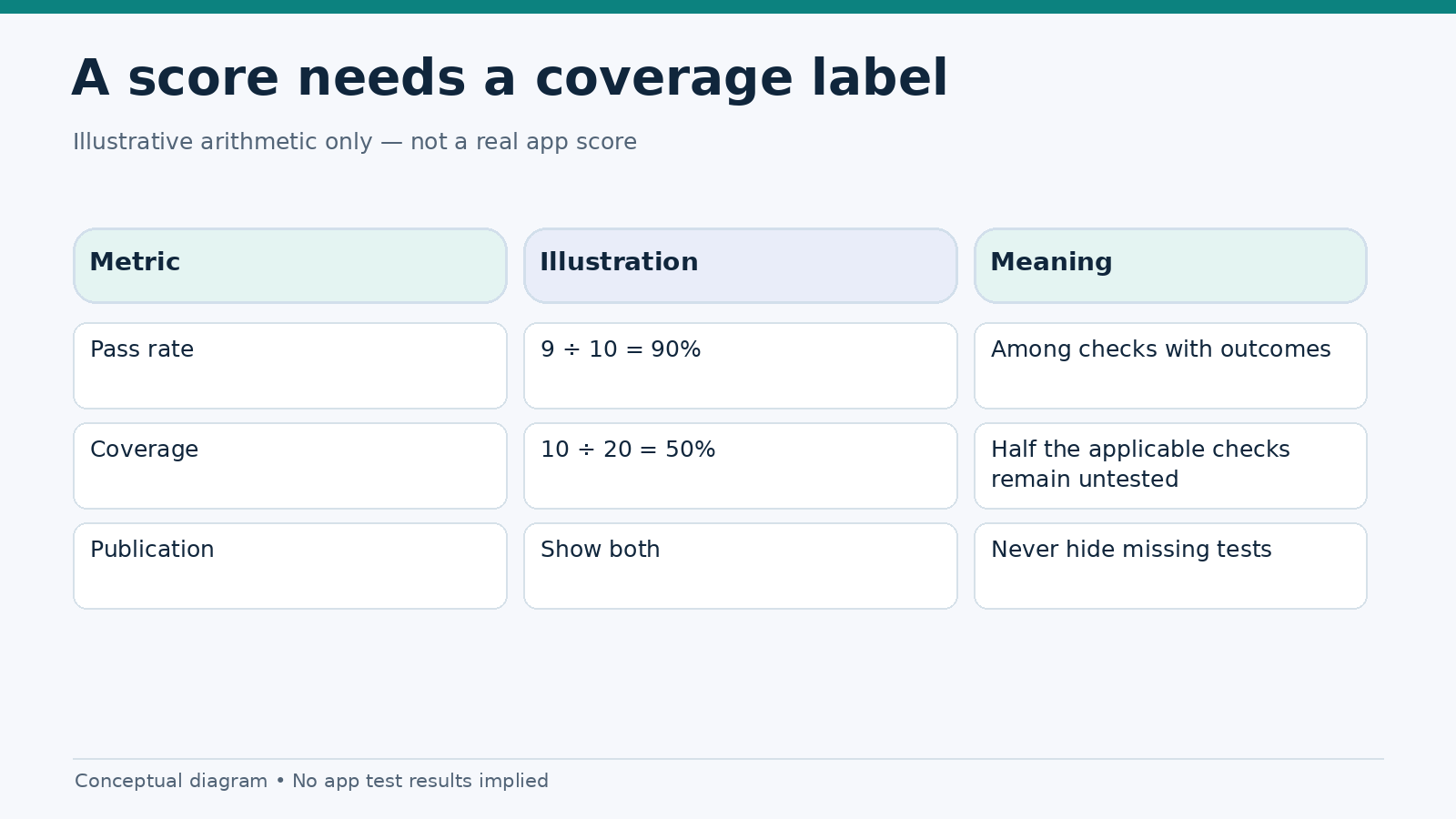
Avoid one headline number for tests that were not performed. We publish a coverage figure alongside every score. A defensible simple method is to give each applicable check one point when the acceptance condition passes and zero when a reproducible issue is found. Exclude not applicable checks from the denominator, but keep not tested checks visible in a separate coverage calculation.
Pass rate among tested checks = passes ÷ (passes + issues). Test coverage = (passes + issues) ÷ applicable checks. For example, a result of 9 passes and 1 issue across 20 applicable checks means a 90% pass rate with only 50% coverage. That numerical example illustrates the formula; it is not a real app result. A score is not shown as a ranking until coverage and evidence meet the publication standard.
Minimum publication record
A publishable result includes the app’s exact name, platform, package or bundle ID, version/build, device model, OS build, browser engine if applicable, network conditions, date, number of repetitions, tooling, raw observations, and deviations from the protocol. For comparative tests, use matching tasks and comparable conditions. Make screen recordings and logs private by default: test accounts can contain account identifiers and other sensitive data.
How we handle platform differences
Some checks need platform-specific methods. Android exposes runtime permission behavior that differs from iOS permission prompts. A Home Screen web app may use browser-managed storage and web push instead of native app APIs. Screen-reader names differ too: VoiceOver on iOS and TalkBack on Android. The goal is the same outcome—understandable navigation—not an identical implementation.
The comparison should always identify which features are present, which are unsupported, and which were not examined. We do not award a point to a native app simply because the platform provides an API, or penalize a PWA merely because the native API does not apply. The observed user task determines the result.
How readers should use our reviews
Read the test setup first. A budget Android handset under constrained networking may expose problems that a newer iPhone does not. Check the coverage figure before comparing scores, then scan any unresolved issue that affects login, account recovery, privacy, accessibility, or responsible-gambling controls. Those problems deserve more attention than minor animation defects.
For the detailed experiments, see mobile app load-time testing, screen-reader testing, and frame-drop testing. Our best casino apps comparison uses a separate, brand-specific evidence standard; this page explains the method only.
Frequently asked questions
How many devices are needed to test a mobile gambling app?
One device can establish a reproducible observation, but it cannot support a broad cross-platform claim. Comparative publishing should include at least one current iPhone, one current Android device, and a lower-spec device when performance on budget hardware is being discussed. Record OS versions and models rather than implying these devices represent every user.
Is a casino app with a better technical score safer?
Not necessarily. Technical quality is separate from operator licensing, financial risk, responsible-gambling policies, and legal availability. The checklist is not an endorsement of gambling or an evaluation of a game’s payout mechanics.
Do you test deposits or withdrawals?
This protocol deliberately focuses on nonfinancial, reproducible interface tasks. A review should not claim payment-flow reliability without a separate, approved, documented test method and jurisdiction-specific compliance review.
Sources and standards
- Google Search Central: useful, well-organized content
- Android Developers: request runtime permissions
- Apple Developer: app privacy details
- Google Play: user data and Data safety declarations
- Google Play: real-money gambling distribution requirements
Editorial note: This page describes a testing method. No independent app benchmark or compliance audit is claimed. Record the methodology version and publish date when the article goes live.