Location, camera and tracking are different kinds of access. A gambling app might ask for location to check whether a service is permitted in a particular jurisdiction, request camera access for an identity document, or seek tracking consent for certain advertising-related data uses. A reasonable purpose does not by itself justify unlimited access, and an app’s disclosure is not proof of what its code actually does.
This guide explains what each permission means, when a request should appear, how denial should be handled, and which evidence matters in a technical review. It does not audit or accuse any named operator. Requirements depend on the product, jurisdiction and operating system.
Quick permission reference
| Request or disclosure | Possible use | What the user should see | What to question |
|---|---|---|---|
| Location | Check geographic eligibility for a restricted service | Clear explanation tied to the eligibility step | A request without context or unclear precision requirements |
| Camera | Capture an identity document during verification | A description of the document or image task | A camera request with no visible camera-related task |
| Photos/files | Upload documents or account evidence | Scope-limited file or photo selection | Broad access when a picker would meet the need |
| Notifications | Alerts about account or service events | Optional consent and controls | Requests that block unrelated use unnecessarily |
| Tracking (iOS ATT) | Certain cross-app or cross-site advertising uses | Apple’s tracking authorization where required | Treating ATT as equivalent to all data collection |
| Privacy labels | Describe data collection and sharing practices | A store disclosure and linked policy | Treating developer self-reporting as an external audit |
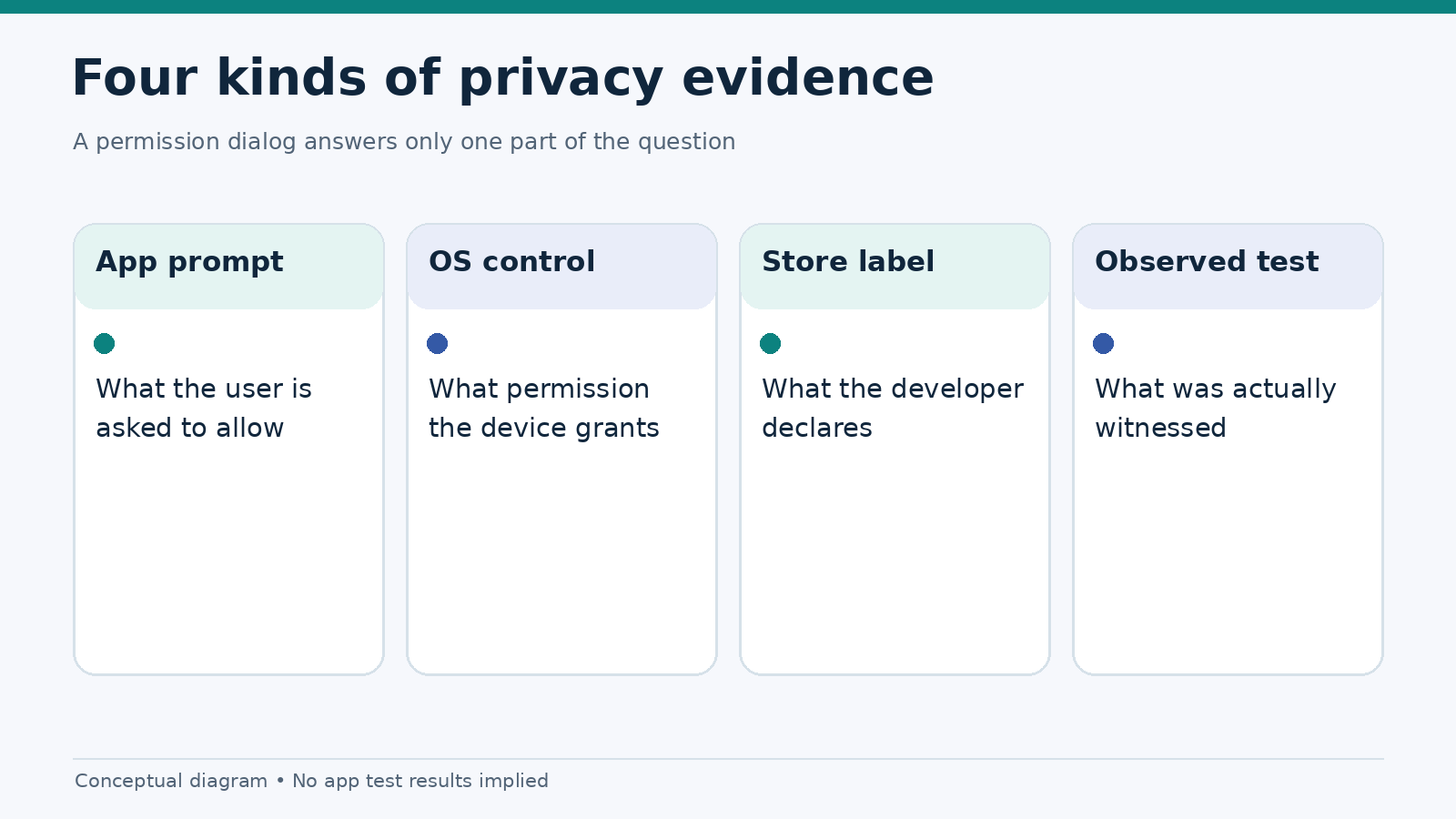
Not every permission exists in the same form on both platforms. The store’s privacy disclosure, the OS dialog and an app’s own in-context explanation serve different purposes.
Why a gambling app may ask for your location
Some regulated gambling services must restrict access based on where a user is physically located. That may lead an app to request location access. The exact legal, technical and precision requirements differ by market and product; no general statement about “always-on GPS” should be taken as a universal requirement.
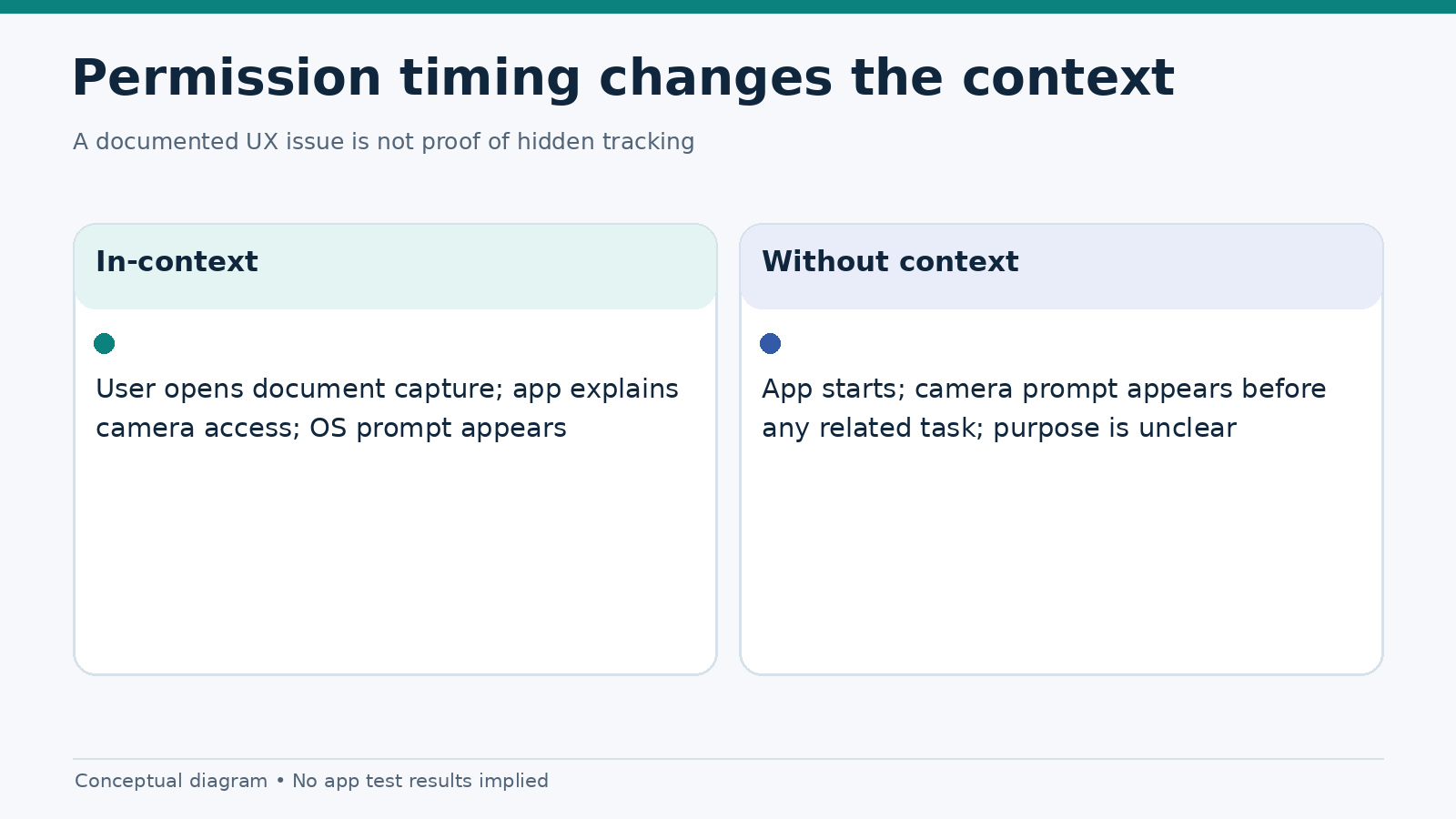
From a user-experience standpoint, the important moment is when the request appears. An app asking for location before explaining what it does leaves readers guessing. A better sequence connects the request to the next user task, explains why location is needed and offers a sensible message when access is denied. Whether the service can continue without location depends on its legitimate access-control requirements.
A reviewer should record the location options offered by the operating system, whether the app requests precise or approximate access when such choices are available, and whether the explanation matches the observed flow. Never attempt to infer a person’s location from a screenshot or publish real account coordinates in a test report.
Does denying location break the app?
It may prevent access to a jurisdiction-restricted feature, but that is not the same as a crash or usability defect. The technical question is whether the app explains the limitation and avoids a blank screen, repeated prompts or an endless loading state. Any evaluation should distinguish policy-required blocking from poor error handling.
Camera access during identity verification
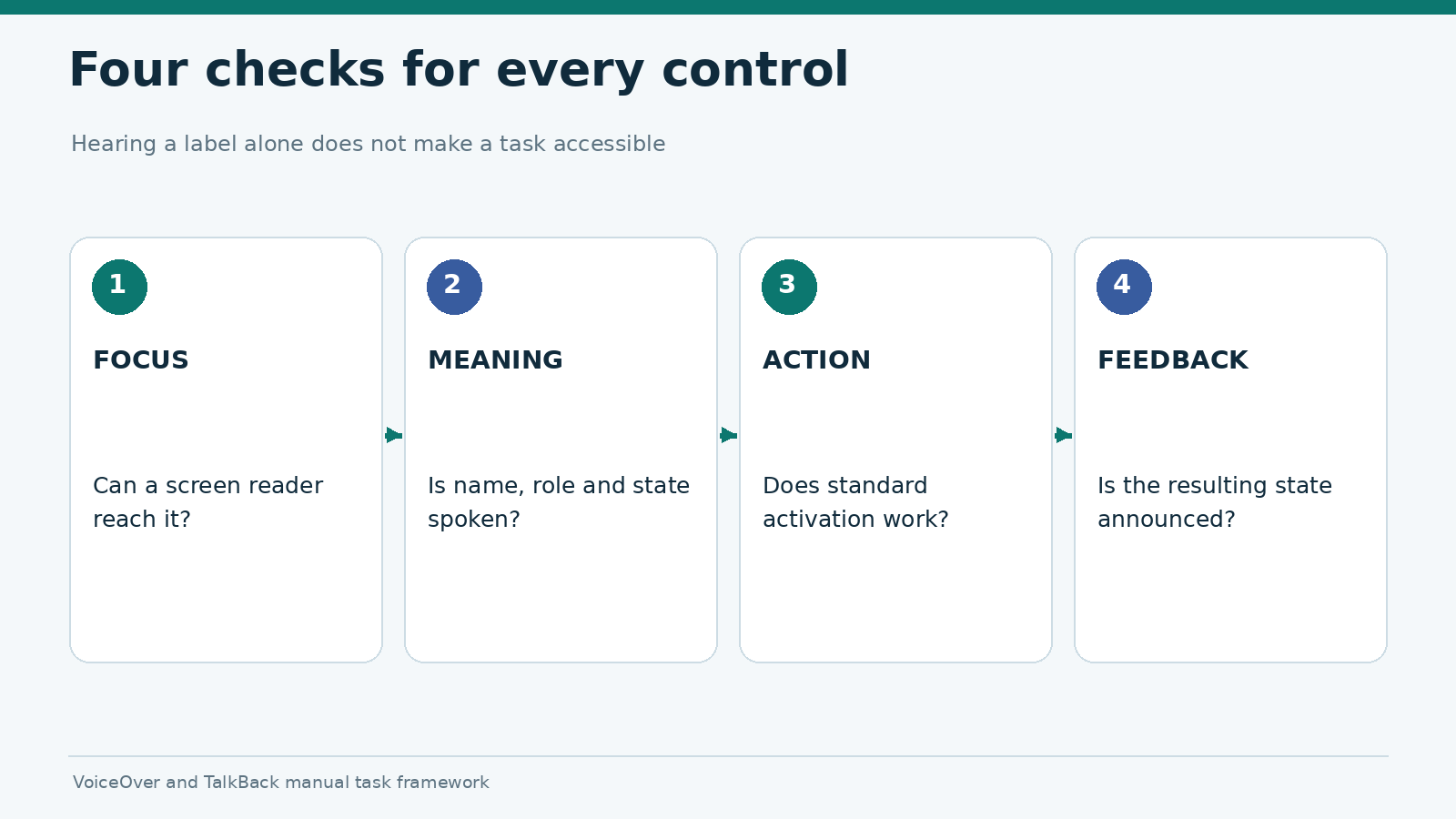
A camera request may arise when a user chooses to scan an identity document or capture a verification image. That is different from a generic request during app startup. Good permission UX connects access to the current task and makes it clear what the user is about to capture.
The review questions are practical: Does the app identify the document type it needs? Can the user retry a blurry image? Does denial lead to an intelligible fallback or explanation? Is the user told where to find help? The existence of a camera prompt is not evidence that captured images are stored indefinitely, shared with an advertiser or used for any particular purpose. Those claims require separate, reliable evidence.
Where the OS offers scoped photo selection, note whether the app uses it instead of requesting broad library access. Do not upload real identity documents as part of a casual editorial test. A test environment should use authorized test identities and avoid collecting sensitive material beyond what the protocol requires.
What “tracking” means on iPhone
Apple’s App Tracking Transparency (ATT) framework addresses certain forms of tracking across other companies’ apps and websites, and access to the device advertising identifier. Apple’s privacy guidance explains when a developer must seek permission. An ATT choice is not a master switch for every form of data collection. An app may still process information needed for account services or other purposes, subject to applicable rules and disclosures.
That distinction matters in a review. A request for location to establish eligibility is not automatically an advertising-tracking request. Equally, the absence of an ATT popup is not proof that the service collects no personal data. Look at the app’s privacy policy, store disclosures, observed prompts and documented functionality, and keep the conclusions limited to what those sources support.
On Android, privacy controls and advertising-related rules have different interfaces and technical mechanisms. Do not write that an Android device has the same ATT prompt or that Android users have no data controls. Our separate store privacy labels comparison addresses the information shown in each store.
Store privacy labels are declarations, not lab results
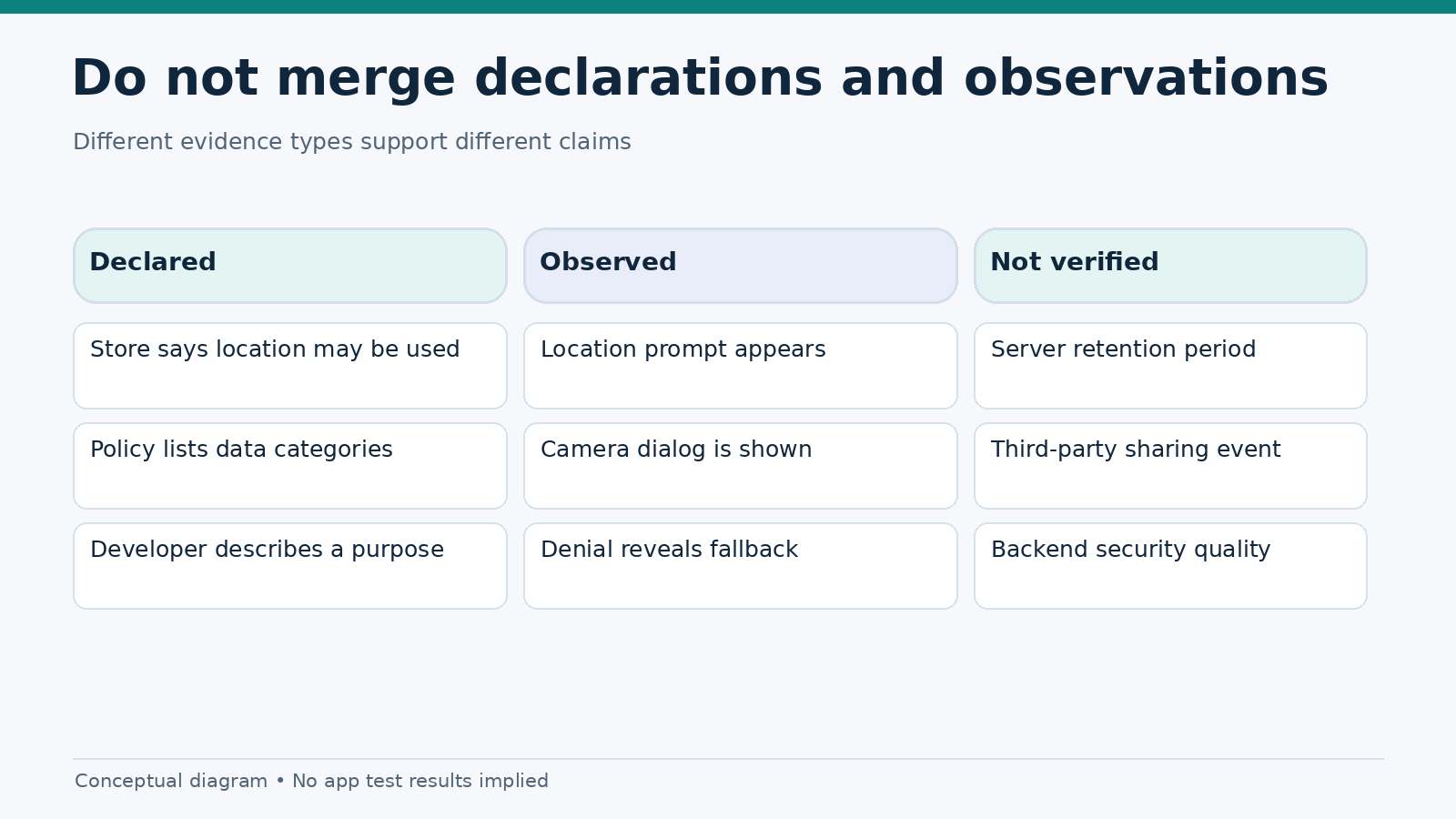
Apple requires developers to provide app privacy information for App Store listings. Google Play requires developers to maintain a Data safety section about data collection, use and sharing. Both can help readers find questions worth asking; neither should be described as an independent security certification.
A defensible editorial comparison distinguishes three columns: declared by the developer, directly observed in the interface, and not independently verified. For example, a store disclosure may say that location is collected. A tester may observe a location permission prompt. Those facts are related, but the prompt alone does not establish where the data is sent or retained.
Google’s User Data policy places responsibility on developers to maintain accurate declarations. Apple’s App Privacy Details defines the kinds of information developers must disclose. Review the current versions of these policies when publishing a comparative article.
How to review an app’s permissions safely
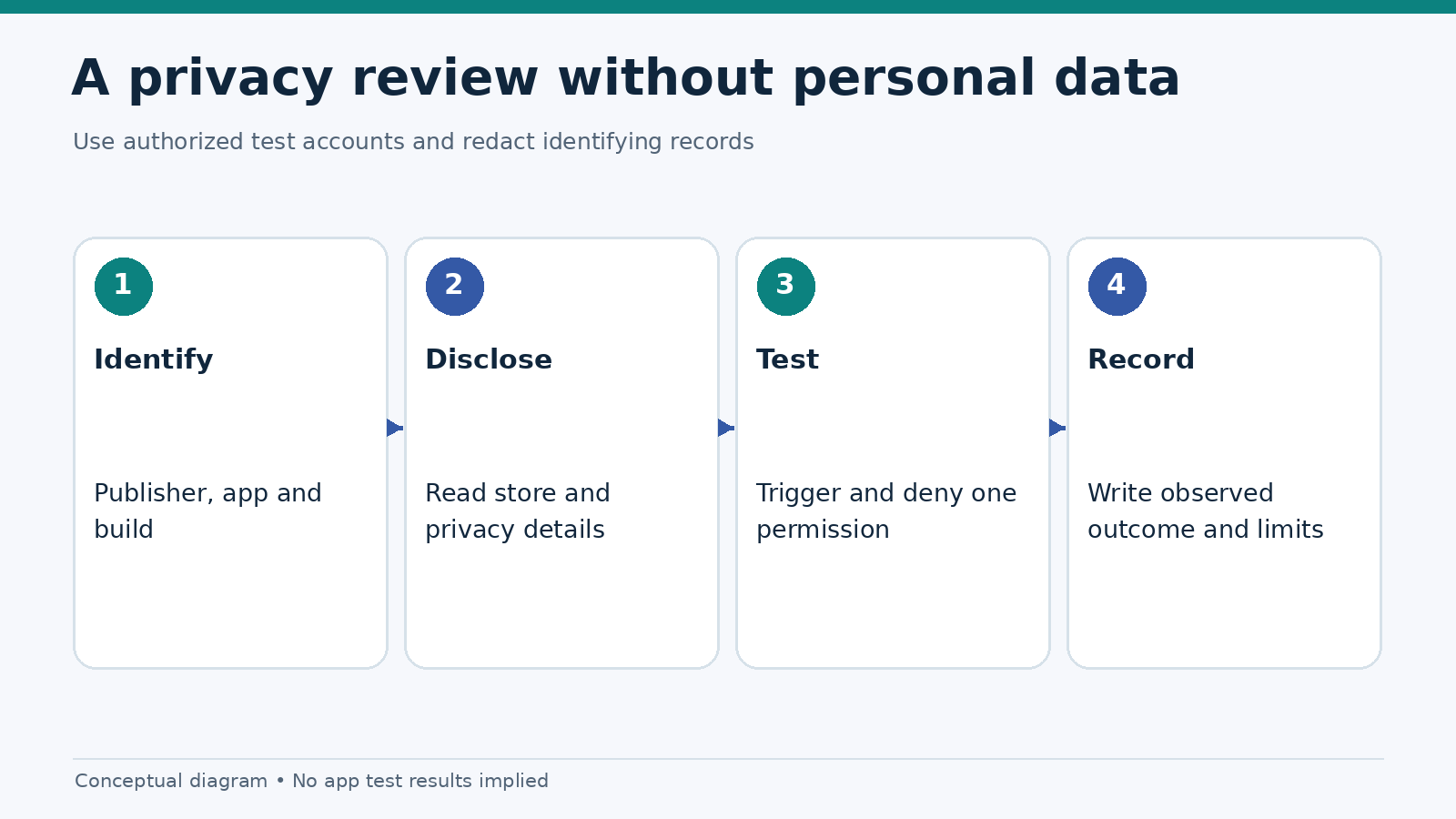
- Verify the app identity. Record its official publisher, package or bundle identifier, platform, version and installation source.
- Read the relevant disclosures. Compare the store listing and privacy policy before opening a sensitive task.
- Reset the test state appropriately. Use a dedicated test account and document previous permissions; do not assume a reinstall clears every OS preference.
- Trigger one feature. Select a task such as identity capture or location-dependent access and record the in-app explanation before the system dialog.
- Deny access once. Note whether the app explains the result, allows navigation and avoids repeated or misleading prompts.
- Grant access only if the test requires it. Do not provide real documents or sensitive data simply to complete an editorial checklist.
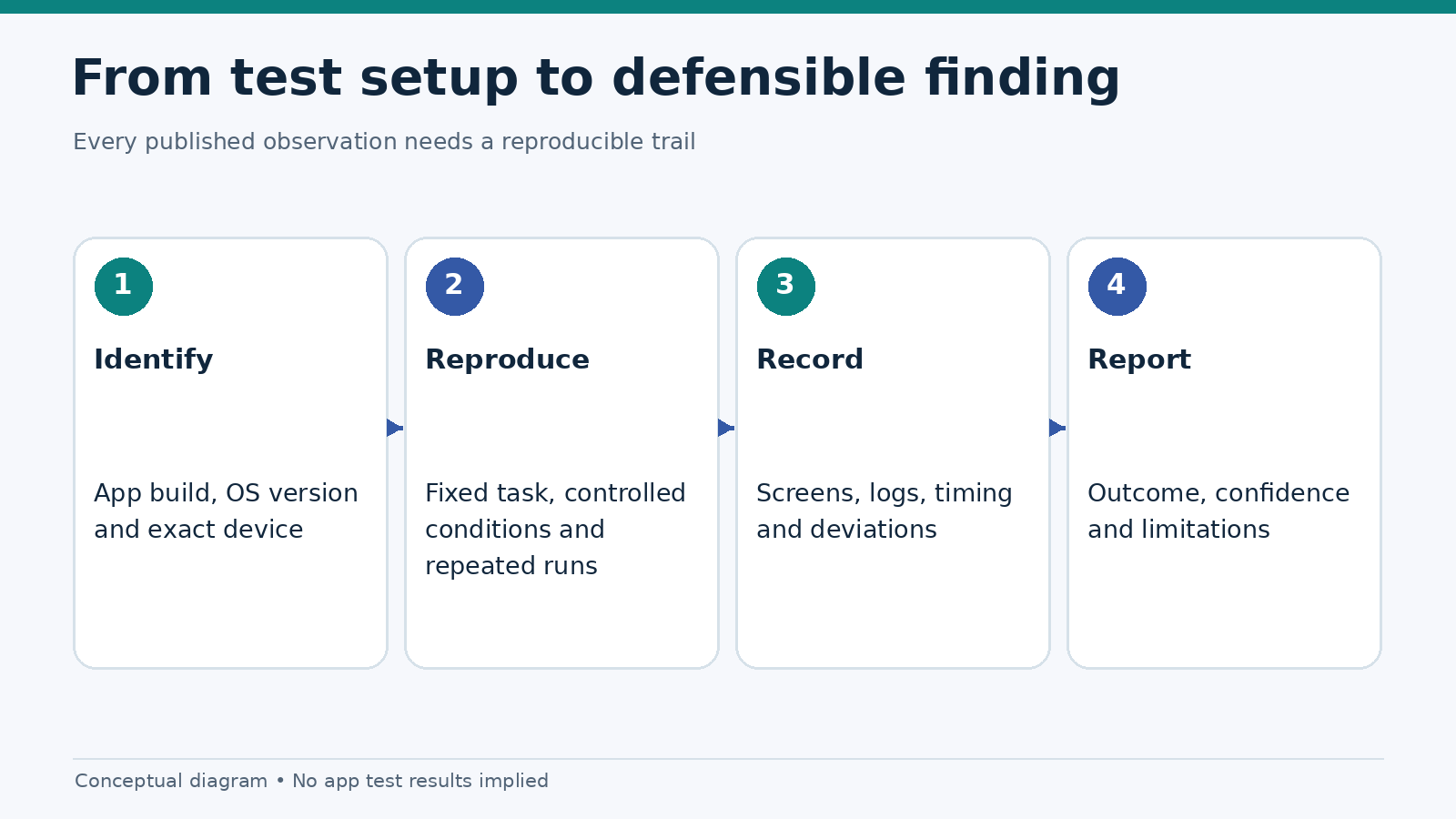
- Record the outcome. Distinguish observed behavior from undocumented backend assumptions; include screen recordings only after removing identifying information.
Android’s runtime permissions guide recommends requesting access with context and handling denial. On iOS, permissions are controlled through the platform’s authorization APIs and system settings. Exact settings menu names may change between OS releases, so instructions should be tested on the versions named in the article.
Warning signs worth documenting
A permission prompt that appears without a related user action, a missing explanation, repeated requests immediately after denial, or a dead-end error screen are fair usability findings if reproducible. Store-policy inconsistencies also deserve investigation. They are not automatic proof of fraud, tracking violations or illegal operation.
Privacy concerns should be reported with the specific OS/build, the words shown in the prompt, the steps to reproduce and the disclosure version reviewed. If the evidence is incomplete, mark the claim “unverified.” This is more useful than a dramatic accusation supported only by one screenshot.
For a wider technical framework, see our 25-point mobile testing checklist and the native notification permission comparison. This article remains about location, camera and tracking rather than notification delivery or operator rankings.
Frequently asked questions
Why do gambling apps need location permission?
In regulated markets, location can be part of restricting access to eligible jurisdictions. The necessity, accuracy and legal basis vary. A review should check the stated purpose and behavior of the exact app rather than assume every operator needs constant location access.
Can I use an app without camera permission?
You may be able to use unrelated features, but document verification could require camera capture or an alternative supported workflow. The app should explain which task cannot proceed and what options remain.
Does denying tracking permission stop every kind of data collection?
No. On iPhone, ATT covers defined tracking behaviors and advertising-identifier access. It does not replace the app’s privacy policy or the broader privacy controls that apply to other uses of personal information.
Are App Store and Google Play privacy labels independently verified?
They are developer-provided disclosures governed by platform rules. Treat them as a source of information to compare with the observed app, not as proof that every data practice has been independently audited.
References
- Android Developers: requesting runtime permissions
- Apple Developer: user privacy and data use
- Apple Developer: App Privacy Details
- Google Play: User Data and Data safety policy
- Google Play: real-money gambling policy
Editorial note: This is a permissions explainer, not a forensic privacy audit. No app was independently tested for this article, and no individual product’s data collection or compliance status has been established.