A gambling app returning to the foreground is not the same thing as an account session remaining valid. The screen may reopen exactly where a user left it while the server has already ended the authenticated session. It may show a sign-in prompt, restore an informational page, or display a stale account view until a fresh response arrives. These outcomes need to be tested separately.
This guide compares iOS and Android app backgrounding, session expiration and resume behavior. It describes an editorial testing protocol, not measured results from casino operators. The focus is switching apps, locking the phone and returning after controlled delays. A network outage belongs to the connection-loss audit; a crash or deliberate force-close belongs to the termination-recovery test.
Three layers behind a resumed screen
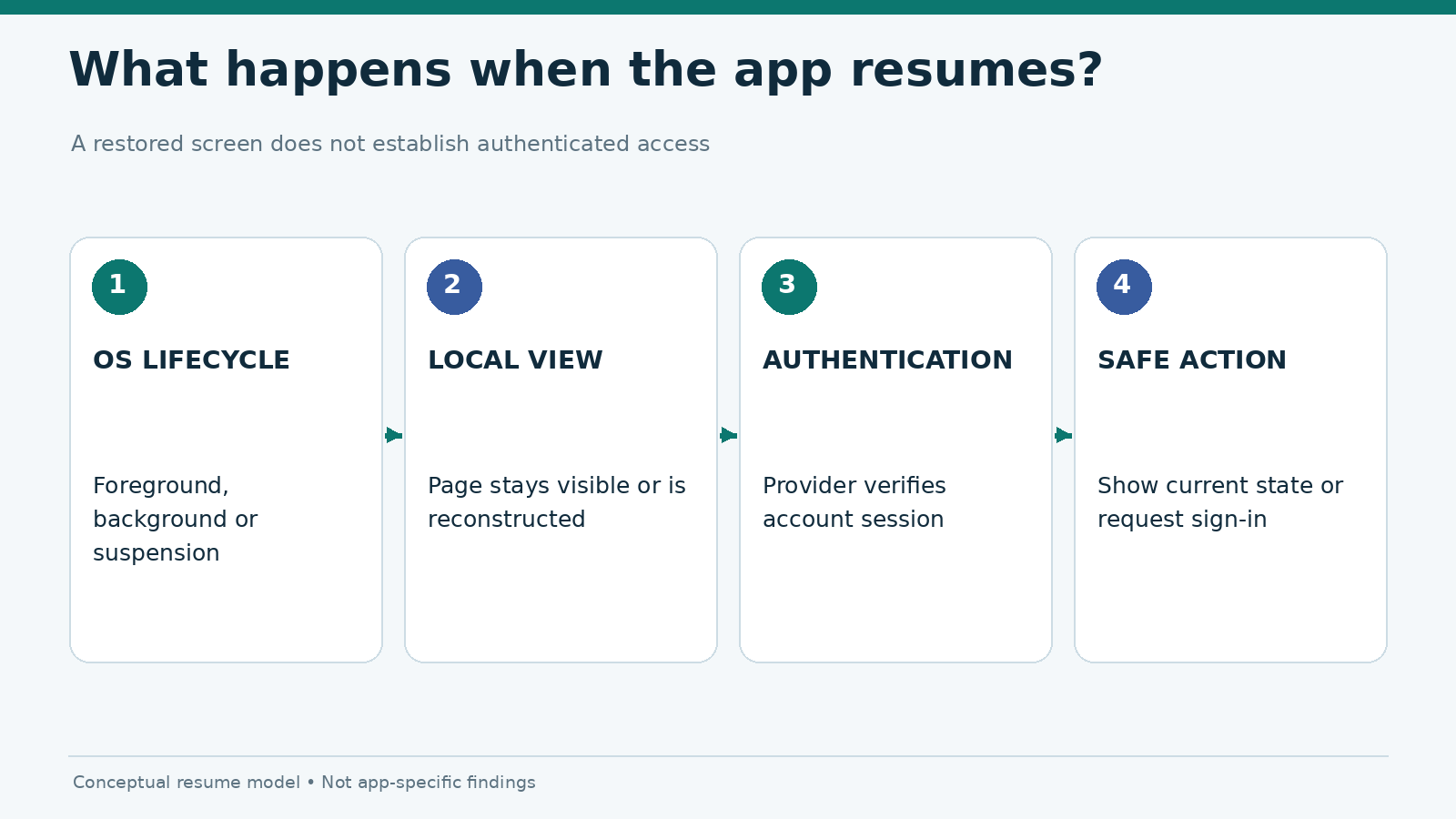
An app can hold a local view in memory even when an authenticated service session is no longer usable. A local screen restoration can also happen after the OS has reclaimed a process. Neither behavior confirms that the user remains authorized to access private account information.
| Layer | Question to ask | Evidence an editor can collect |
|---|---|---|
| OS lifecycle | Was the app foregrounded, backgrounded or re-created? | Screen capture and device state timeline |
| App presentation | Did the same page, a loading state or a login screen appear? | Screen recording with timestamps |
| Account session | Was server-side authorization still valid? | Non-sensitive account view or supported session-state indication |
| Sensitive-content privacy | Was private information visible before revalidation? | Redacted snapshots and controlled observations |
Apple’s UIKit lifecycle guidance explains that scenes can enter background and suspended states. Android exposes activity transitions such as onPause, onStop and onResume through its activity lifecycle. These frameworks describe app execution. They do not prescribe one universal session timeout for gambling services.
A session may also be affected by provider policy, authentication method, regulatory requirements and server configuration. Do not assume an iPhone automatically has a shorter or longer sign-in timeout than an Android phone.
What backgrounding means on iOS and Android
On iOS, an app generally gets a limited opportunity to handle its transition to the background before suspension; some apps have system-sanctioned background modes. The system can later disconnect or terminate resources. On Android, an activity can stop being visible while its process remains cached, and the system may reclaim that process as resources change. Returning to the same visible screen does not prove continuous execution on either platform.
| Situation | iPhone / iOS | Android phone | Testing implication |
|---|---|---|---|
| Switch to another app | Scene or app may become inactive/backgrounded | Current activity may pause and stop | Record exact exit method |
| Lock screen | Foreground interaction ceases | Activity and process priority can change | Test lock separately from app switch |
| Return quickly | Previously displayed view may resume | Activity may resume | Verify data is current, not merely visible |
| Return after a long delay | Suspension or resource reclamation may intervene | Cached process can survive or be reclaimed | Do not infer a fixed expiration duration |
| Session no longer authorized | App must handle server rejection or reauthentication | Same requirement | Inspect message, redaction and recovery |
The important distinction is between OS resume and account resume. Neither platform guarantees that a server session survives a background interval. Likewise, a service can expire a session while its app remains active.
Avoid misleading background-duration claims
Do not describe a 30-second, five-minute or 15-minute timeout as a platform default unless the exact system or provider policy is documented. The correct editorial statement is narrower: “Under the recorded test conditions, this app requested sign-in after X minutes in the background.” That conclusion requires a real run and should identify the build, device, OS and account state.
A controlled session timeout test matrix
Use an authorized test account or a public, non-sensitive section where possible. Do not place real wagers, attempt withdrawals or use pending transactions to create a session change. Begin every run from a known state, and disable unrelated automatic locks or interruptions only when appropriate for the experiment.
- Record the phone model, operating system, app build and time-zone setting.
- Open the same harmless page and confirm it has loaded completely.
- Choose one interruption: Home gesture, app switcher or screen lock. Keep it consistent within the run.
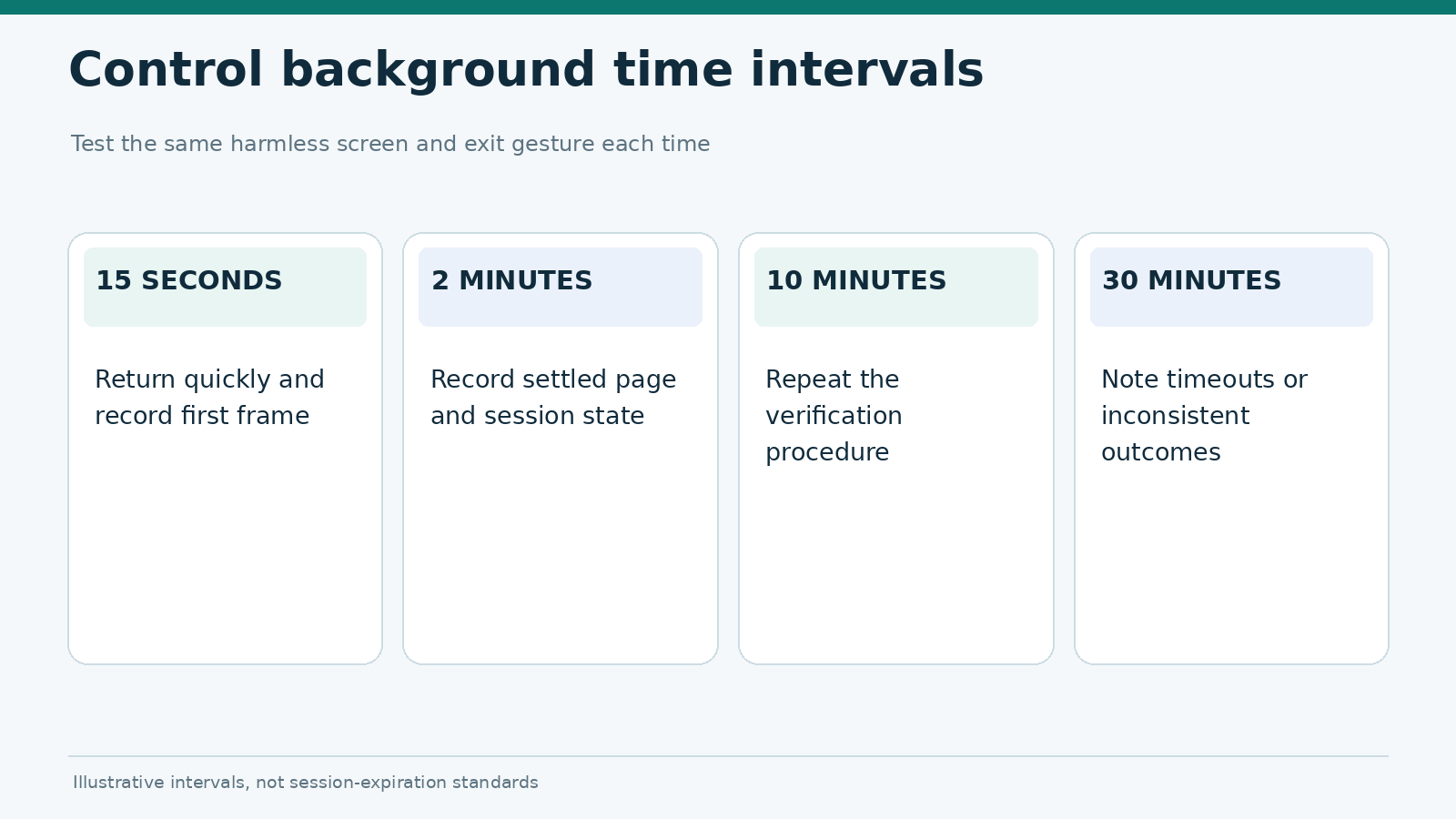
- Keep the app in the background for the defined interval without manually killing it.
- Return using the same method; capture the first visible frame and the next settled state.
- Record whether the app resumed, refreshed, requested authentication or displayed an error.
- Repeat the interval and note inconsistent outcomes rather than reporting only the fastest run.
A workable illustrative schedule is 15 seconds, 2 minutes, 10 minutes and 30 minutes, with at least three trials per interval. These are test intervals, not known session-expiration thresholds. Timeouts may be non-deterministic or influenced by server-side activity. If a run starts close to an already-expiring session, mark it invalid and reset the baseline.
Keep the two operating systems comparable
Use comparable account permissions, the same app release family where available, the same connectivity type and similar device load. A current iPhone and an older Android handset may behave differently because of memory pressure, not because of an inherent OS security policy. Also note whether power-saving settings were enabled. Their impact is evaluated separately in the Battery Saver versus Data Saver protocol.
When the app only exists on one platform, label the report a single-platform audit. A web view in a browser, installed PWA and native application should not be treated as interchangeable.
What a safe resume should communicate
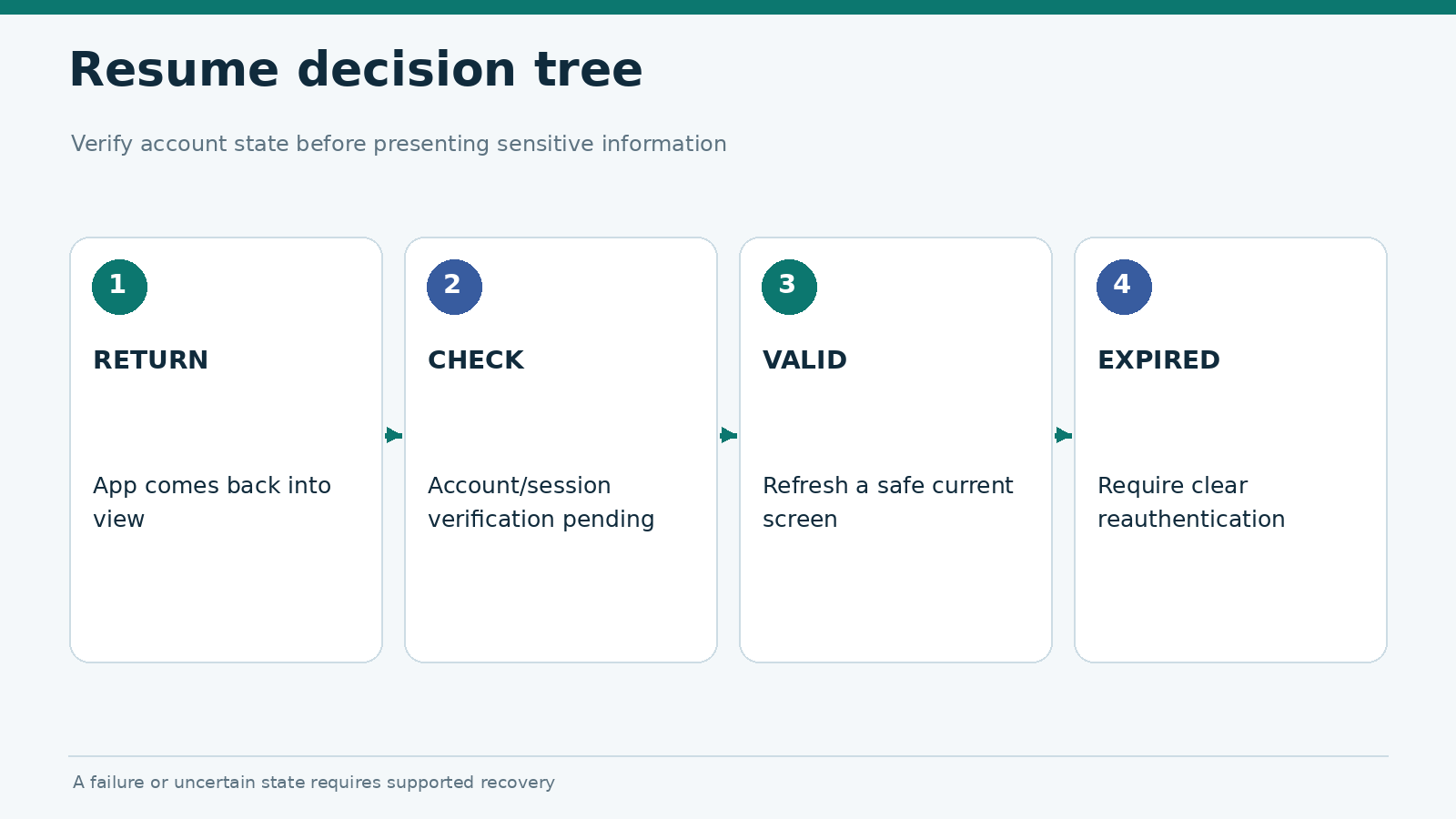
A strong resume flow answers three questions without leaving the user to guess: Is the account still authenticated? Is the information currently shown up to date? What action can restore a usable state?
There are several acceptable implementations. A service might require sign-in immediately after returning from the background. Another might preserve the session briefly but mask account-sensitive content until a server check finishes. The editorial judgment should reflect the app’s stated policy and the user’s ability to understand the transition, rather than assume frictionless persistence is always better.
| Observed state | Appropriate user-facing behavior | Potential issue to document |
|---|---|---|
| Authenticated session valid | Restore or refresh safe current state | Old data presented as confirmed current |
| Session expired | Clear sign-in request and explanation | Silent return to an interactive-looking account screen |
| Verification pending | Visible checking state; private content guarded | Sensitive snapshot remains visible |
| Reauthentication cancelled | Predictable route to public screen or sign-in | Loop that cannot be dismissed |
| Background action unresolved | Ask user to check authoritative status | Claim that an action completed without confirmation |
The strongest findings are concrete: “The balance remained visible under the app switcher preview,” or “The expired-session message did not provide a return route.” They are much more useful than saying that an app “handles backgrounding badly.” Screenshots of account data must be redacted before publication.
Separate timeout, disconnection and forced termination
Three similar-looking failures can demand different fixes. Timeout is an authorization or inactivity event. Disconnection means the app cannot reliably communicate. Termination means the process stops and later starts again. A login page after a cold launch does not, by itself, prove that the provider expired the previous session.
For the network branch, use the offline error and retry checklist. For deliberate termination and cold-launch behavior, use the crash and force-close recovery test. Keeping those experiments distinct protects the validity of a cross-platform comparison.
Evidence log template
| Field | Example of what to record |
|---|---|
| Test ID | BG-IOS-02 or BG-AND-02 |
| Environment | Device, OS, app build, connection, power mode |
| Before background | Signed in; harmless page fully loaded |
| Exit method and duration | Home gesture; 2 minutes |
| First frame after return | Masked screen / content / sign-in |
| Settled state | Authenticated / expired / uncertain |
| Recovery path | Supported login; return to public screen |
| Evidence | Redacted recording, timestamp, repeat number |
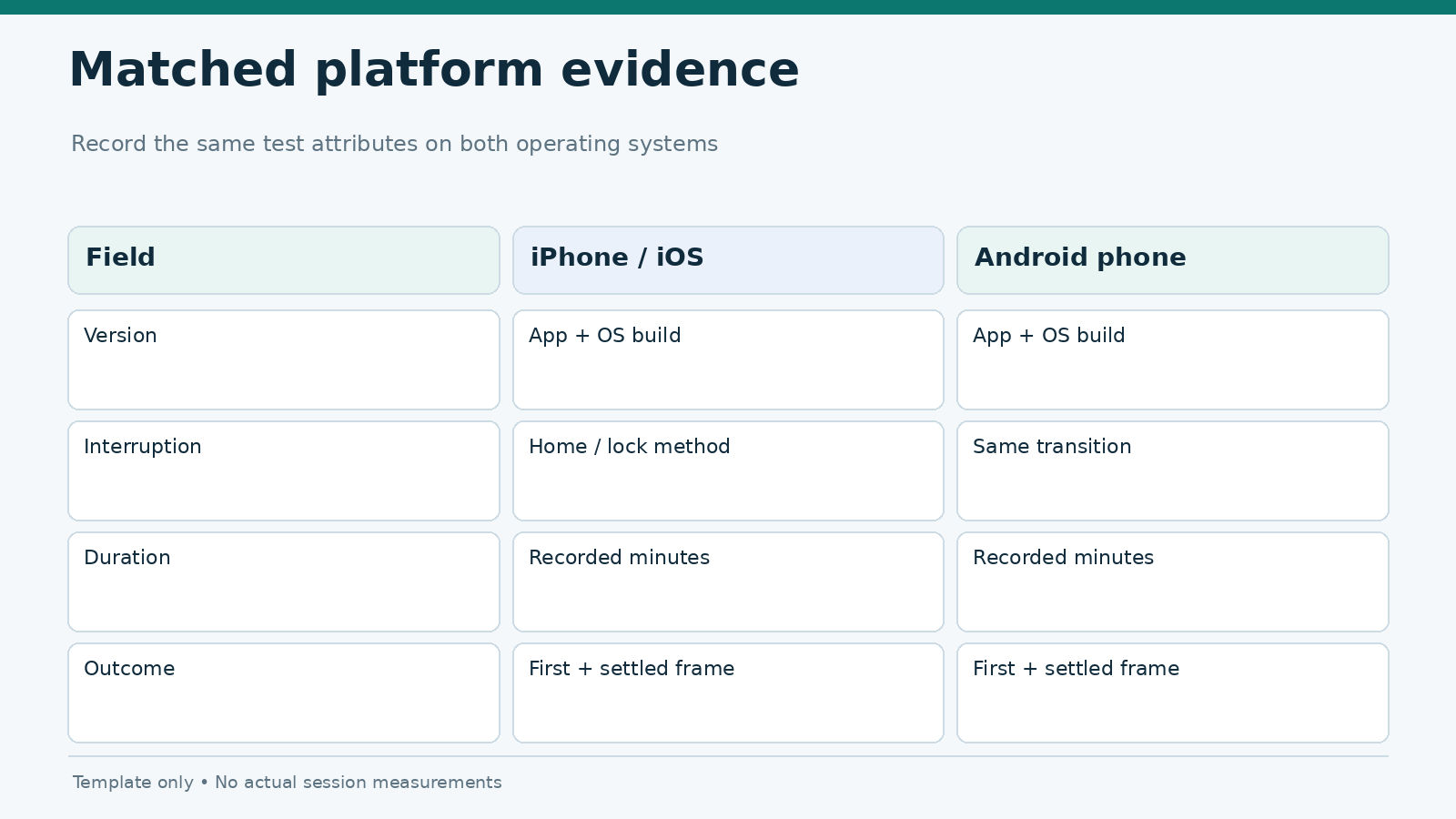
A report should include the number of trials and the distribution of outcomes. If three trials return three different states, publish that variability as an observation rather than compressing it into a single verdict. For reproducibility, use the same field vocabulary across both operating systems.
Frequently asked questions
Does iOS log users out of gambling apps faster than Android?
There is no universal platform timeout established by the OS lifecycle APIs. A provider’s authentication policy, the app build and the test setup determine the observed outcome. Compare matched runs rather than applying a blanket platform ranking.
Can an app show my last screen after the session expires?
Yes. Locally preserved interface state may remain visible after authorization expires. The important question is whether private information is properly protected and the app revalidates access before allowing sensitive actions.
Is switching away from an app the same as force-closing it?
No. Backgrounding normally leaves lifecycle decisions to the operating system. A user-initiated force-close or a crash is a different event and should be recorded separately.
Why did a session survive once but expire on the next trial?
Session age at the start, server policy, account activity, app state and environmental variation may differ between trials. Repeat the run from a controlled baseline and report the uncertainty.
Sources and editorial limitations
Platform background behavior is based on Apple’s app lifecycle documentation, Apple’s background execution guide and Android’s activity lifecycle. This article supplies a test design; it does not claim that a specific casino app was tested or that any operator follows a particular timeout policy. Before publication, add device logs, redacted recordings, named application versions and a dated finding table if the headline is expanded into an empirical comparison.